Preparing the Retriever#
Retriever is one of the most important component in the RAG pipeline. It retrieves the top-k relevant contexts from the knowledge base for a given query. In FlexRAG, there are three types of retrievers: WebRetriever, APIBasedRetriever, and FlexRetriever. The relationship between these retrievers is shown in the following figure:
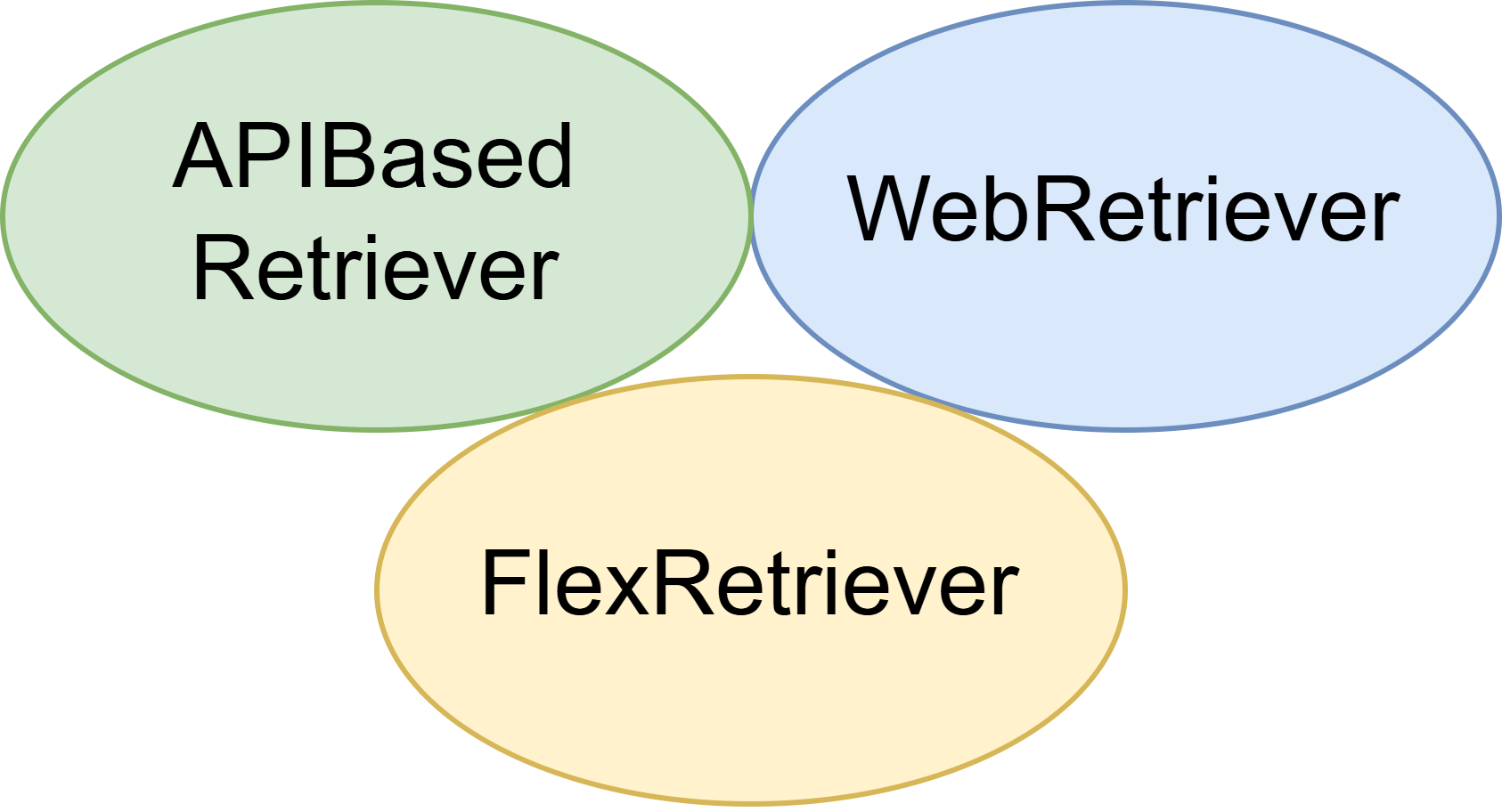
The differences between these retrievers are as follows:
WebRetriever: The WebRetriever performs real-time information retrieval directly from the internet. It is designed to handle queries that require up-to-date or dynamic content, such as breaking news, current events, or newly published data. This retriever is ideal when static knowledge sources are insufficient. For more information, you can refer to the Advance: Acquiring Information from the Web tutorial.APIBasedRetriever: The APIRetriever connects to external systems via APIs to retrieve structured or domain-specific data. It acts as a bridge to proprietary databases, enterprise systems, or third-party services, enabling seamless integration with existing data infrastructures. In FlexRAG, we provide two types of API-based retrievers:ElasticRetrieverandTypesenseRetriever.FlexRetriever: The FlexRetriever is an advanced local retriever that supports both MultiField and MultiIndex retrieval capabilities: it allows each document to be parsed into multiple semantic fields (e.g., title, abstract, content), with dedicated indexes built per field. In addition, FlexRetriever enables hybrid search across multiple indexes, allowing for flexible, fine-grained retrieval strategies tailored to complex information needs. Furthermore, FlexRetriever supports both sparse and dense retrieval methods, making it suitable for a wide range of retrieval tasks. FlexRetriever is also fully compatible with the Hugging Face ecosystem, making it easy to publish, share, and reuse retrievers via the Hugging Face Hub. This integration empowers users to contribute and leverage community-built retrieval pipelines with minimal configuration.
In this tutorial, we will show you how to load the FlexRetriever from the HuggingFace Hub and prepare your own FlexRetriever.
Loading the predefined FlexRetriever from HuggingFace Hub#
FlexRAG provides several predefined FlexRetrievers that are built on various knowledge bases. These retrievers are available on the HuggingFace Hub and can be easily loaded for use in your applications. You can find the list of available retrievers in the FlexRAG repository.
You can load a predefined retriever by using the load_from_hub function from the FlexRetriever class. For example, to load the retriever built on the enwiki_2021_atlas dataset, you can run the following code:
from flexrag.retriever import FlexRetriever

retriever = FlexRetriever.load_from_hub(repo_id='FlexRAG/wiki2021_atlas_bm25s')
passages = retriever.search('What is the capital of France?')
You can also specify the top_k parameter to retrieve the top-k passages for a given query. For example, to retrieve the top 5 passages, you can run the following code:
passages = retriever.search('What is the capital of France?', top_k=5)
Note
In Quickstart: Deploying and Evaluating RAG Assistant with FlexRAG, we provide several examples that employ the predefined retriever.
Preparing Your Own FlexRetriever#
In addition to using the predefined retrievers, you can also prepare your own FlexRetriever based on your knowledge base. This section will guide you through the process of preparing a FlexRetriever using a knowledge base.
Downloading the Knowledge Base#
Before preparing your retriever, you need to prepare the knowledge base. In this example, we will use the Wikipedia knowledge base provided by the DPR project. You can download the knowledge base by running the following command:
# Download the corpus
wget https://dl.fbaipublicfiles.com/dpr/wikipedia_split/psgs_w100.tsv.gz
# Unzip the corpus
gzip -d psgs_w100.tsv.gz
Note
You may also utilize your own knowledge base. FlexRAG supports knowledge bases saved in line-delimited file formats (such as *.csv, *.jsonl, or *.tsv), where each line represents a piece of knowledge, and each piece can contain multiple fields (such as id, text, etc.). You can store your knowledge base across multiple files or within a single file. You can check the Preparing the Knowledge Base documentation for how to prepare the knowledge base.
In this case, the Wikipedia knowledge base provides three fields: id, title, and text, where the text field contains a text chunk of the Wikipedia page, title contains the title of the corresponding Wikipedia page, and id contains the unique identifier of the knowledge piece. You can check the first line of the knowledge base by running the following command:
head -n 5 psgs_w100.tsv
The output should be like this:
id      text    title
<id-1>  <text-1>        <title-1>
<id-2>  <text-2>        <title-2>
...
Adding the Documents to the Retriever#
After preparing the knowledge base, you can add the documents to the retriever. In FlexRAG, you can use the add_passages function to add the documents to the retriever. The add_passages function takes a iterator of Context as input, where each Context represents a piece of knowledge. The Context class has the following fields:
context_id: the unique identifier of the knowledge piece;data: a dictionary containing all the information of the knowledge piece, such astitle,text, etc.;source(optional): the source of the knowledge piece, which can be used to track the origin of the knowledge piece;metadata(optional): additional metadata of the knowledge piece, which can be used to store additional information about the knowledge piece.
You can use the RAGCorpusDataset class to load the knowledge base and convert it into a iterator of Context. The RAGCorpusDataset class takes a configuration object as input, which specifies the file paths of the knowledge base, the fields to be saved, and the unique identifier field. The following code snippet demonstrates how to prepare the retriever using the Wikipedia knowledge base:
from flexrag.datasets import RAGCorpusDataset, RAGCorpusDatasetConfig
from flexrag.retriever import FlexRetriever, FlexRetrieverConfig

RETRIEVER_PATH = "<path_to_retriever>"  # path to save the retriever
CORPUS_PATH = ["psgs_w100.tsv"]


def add_passages():
    corpus = RAGCorpusDataset(
        RAGCorpusDatasetConfig(
            file_paths=CORPUS_PATH,
            saving_fields=["title", "text"],
            id_field="id",
        )
    )
    retriever = FlexRetriever(
        FlexRetrieverConfig(
            log_interval=100000,
            batch_size=4096,
            retriever_path=RETRIEVER_PATH,
        )
    )
    retriever.add_passages(passages=corpus)
    return

add_passages()
We also provide a command-line tool to foster the preparation of the retriever. You can run the following command to add the documents to the retriever:
CORPUS_PATH='psgs_w100.tsv'
CORPUS_FIELDS='[title,text]'
RETRIEVER_PATH="<path_to_retriever>"

python -m flexrag.entrypoints.prepare_retriever \
    file_paths=[$CORPUS_PATH] \
    saving_fields=$CORPUS_FIELDS \
    id_field='id' \
    retriever_type=flex \
    flex_config.retriever_path=$RETRIEVER_PATH \
    reinit=True
Adding Indexes to the Retriever#
Before using the retriever, you need to build the indexes for the knowledge base. For FlexRetriever, you can build the indexes using the add_index method. By specifying the index_name, index_config, and the indexed_fields_config parameter, you can create an index for the knowledge base.
from flexrag.retriever import FlexRetriever
from flexrag.retriever.index import MultiFieldIndexConfig, RetrieverIndexConfig

RETRIEVER_PATH = "<path_to_retriever>"  # path to the retriever


def add_bm25_index():
    retriever = FlexRetriever.load_from_local(RETRIEVER_PATH)
    retriever.add_index(
        index_name="bm25",
        index_config=RetrieverIndexConfig(
            index_type="bm25",
        ),
        indexed_fields_config=MultiFieldIndexConfig(
            indexed_fields=["title", "text"],
            # concatenate the `title` and `text` fields for indexing
            merge_method="concat",
        ),
    )
    return


add_bm25_index()
In this example, we create a BM25 index for the title and text fields of the knowledge base. The merge_method parameter specifies how to merge the fields for indexing. In this case, we concatenate the title and text fields into a single field for indexing.
You can also build a dense index by specifying index_type=faiss. A dense index finds the most relevant documents by computing the semantic similarity between a query and the documents being searched. The query and documents are encoded by a query encoder and a passage encoder, respectively, to obtain their corresponding dense vectors. You can run the following code to build a dense index using Wikipedia as the knowledge base:
from flexrag.models import EncoderConfig, HFEncoderConfig
from flexrag.retriever import FlexRetriever
from flexrag.retriever.index import (
    MultiFieldIndexConfig,
    RetrieverIndexConfig,
    FaissIndexConfig,
)

RETRIEVER_PATH = "<path_to_retriever>"  # path to the retriever


def add_faiss_index():
    retriever = FlexRetriever.load_from_local(RETRIEVER_PATH)
    retriever.add_index(
        index_name="contriever",
        index_config=RetrieverIndexConfig(
            index_type="faiss",  # specify the index type
            faiss_config=FaissIndexConfig(
                # let FaissIndex determine the index configuration automatically
                # you can also specify a specific index type like "Flat", "IVF", etc.
                index_type="auto",
                index_train_num=-1,  # use all available data for training
                query_encoder_config=EncoderConfig(
                    encoder_type="hf",  # specify using Hugging Face model
                    hf_config=HFEncoderConfig(
                        # specify the Contriever model
                        # you can also choose other models
                        model_path="facebook/contriever-msmarco",
                        # use the first GPU for query encoding
                        # if you do not want to use GPU, set device_id to []
                        device_id=[4],
                    ),
                ),
                passage_encoder_config=EncoderConfig(
                    encoder_type="hf",
                    hf_config=HFEncoderConfig(
                        model_path="facebook/contriever-msmarco",
                        device_id=[0, 1, 2, 3],  # use four GPUs for data parallelism
                    ),
                ),
            ),
        ),
        indexed_fields_config=MultiFieldIndexConfig(
            indexed_fields=["title", "text"],
            merge_method="concat",  # concatenate the `title` and `text` fields for indexing
        ),
    )
    return


add_faiss_index()
In the above code, we create a Faiss index for the title and text fields of the knowledge base. The index_type parameter specifies the type of index to be built, which is set to faiss. The faiss_config parameter specifies the configuration for the Faiss index, including the query encoder and passage encoder configurations. In this case, we use the facebook/contriever-msmarco model as the encoder.
Note
In the above script, we specify the device_id as [0,1,2,3] to use 4 GPUs for encoding the text field. This configuration will speed up the encoding process. If you do not have multiple GPUs, you can simply set device_id=[0] to use a single GPU or device_id=[] to use CPU.
FlexRAG also provides a command-line tool to prepare the retriever. You can run the following command to build the retriever:
RETRIEVER_PATH="<path_to_retriever>"  # path to the retriever

python -m flexrag.entrypoints.add_index \
    retriever_path=$RETRIEVER_PATH \
    index_name=bm25 \
    rebuild=False \
    indexed_fields=["title","text"] \
    merge_method="concat"
Using the Retriever in Your Code#
After preparing the retriever, you can use it in your RAG application or other tasks. For example, you can use the FlexRetriever to retrieve the top 5 passages for a given query:
from flexrag.retriever import FlexRetriever


retriever = FlexRetriever.load_from_local("<path_to_retriever>")
passages = retriever.search('What is the capital of France?', top_k=5)[0]
print(passages)
Deploying the Retriever as a Service#
FlexRAG provides an entrypoint to deploy the retriever as a service. This is helpful when you want to use the retriever to fine-tune your own RAG assistant or when you want to use the retriever in a production demonstration. You can deploy the retriever by running the following command:
python -m flexrag.entrypoints.serve_retriever \
    host='0.0.0.0' \
    port='3402' \
    retriever_path=<path_to_retriever> \
    used_indexes=['bm25']
After deploying the retriever, you can access the retriever service at http://<host>:<port>/search or visit http://<host>:<port>/docs for documentation. You can send a POST request to the /search endpoint with a JSON payload containing the query and the top-k parameter. The following is an example of how to use the retriever service:
import requests

def search_retriever(query, top_k=5):
    url = "http://<host>:<port>/search"
    payload = {
        "queries": [query],
        "top_k": top_k,
    }
    response = requests.post(url, json=payload)
    return response.json()
Uploading the Retriever to the HuggingFace Hub#
To share your retriever with the community, you can upload it to the HuggingFace Hub. For example, to upload the FlexRetriever to the HuggingFace Hub, you can run the following code:
from flexrag.retrievers import FlexRetriever


retriever = FlexRetriever.load_from_local("<path_to_retriever>")
retriever.save_to_hub(repo_id="<your-repo-id>", token="<your-hf-token>")
In this code, you need to specify the repo_id and token to upload the retriever to the HuggingFace Hub. You can find the token in your HuggingFace account settings. After uploading the retriever, you can share the retriever with the community by sharing the link to the HuggingFace Hub.
Important
To make your shared FlexRetriever accessible to the community, you need to make sure the query encoder and the passage encoder are configured and accessible to the public. In this example, the facebook/contriever-msmarco model is hosted on the HuggingFace Hub, so users can access the model without any additional configuration. If you use a custom model, uploading your model to the HuggingFace Hub is recommended.